Page MenuHomePhabricator

Add metadata to Reading list noting file size and number of articles that are available offline
Closed, ResolvedPublic3 Estimated Story Points

Assigned To
Authored By
RHo
Apr 5 2017, 2:25 PM
Referenced Files
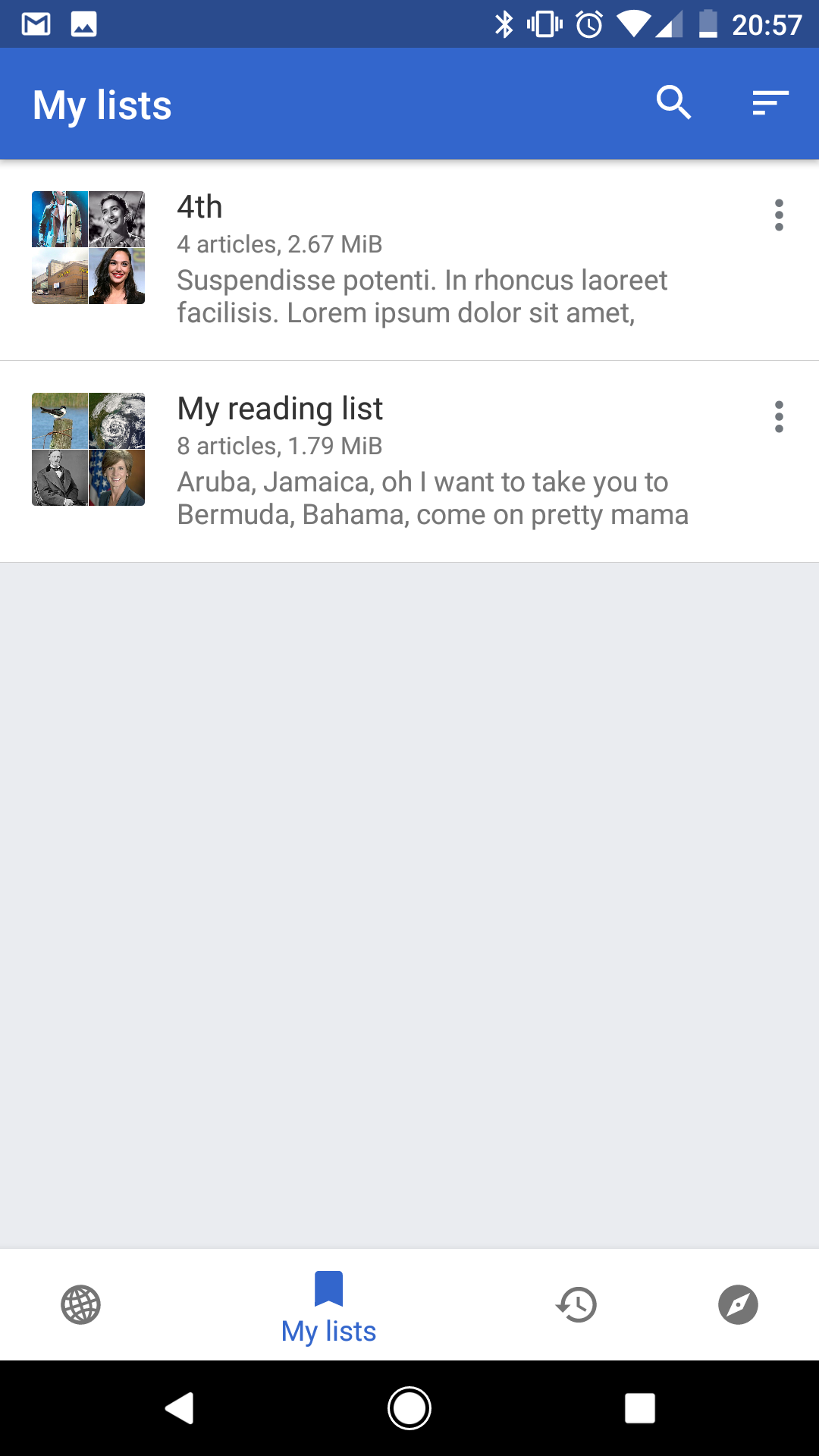
F8392029: Screenshot_20170606-205727.png
Jun 6 2017, 7:02 PM
F8392030: Screenshot_20170606-205515.png
Jun 6 2017, 7:02 PM
F8392033: Screenshot_20170606-205522.png
Jun 6 2017, 7:02 PM
F8392028: Screenshot_20170606-204618.png
Jun 6 2017, 7:02 PM
F8392034: Screenshot_20170606-205509.png
Jun 6 2017, 7:02 PM
F7262602: image.png
Apr 5 2017, 2:25 PM
F7262552: image.png
Apr 5 2017, 2:25 PM

Description

User story

As a user who cares about data storage, I want to easily see the amount of articles and file size of Wikipedia reading lists on my device.

Design

Addition of file size and offline details was part of the updated UI for 'My lists' and Reading lists T156073

Expected on the 'My lists' screen:
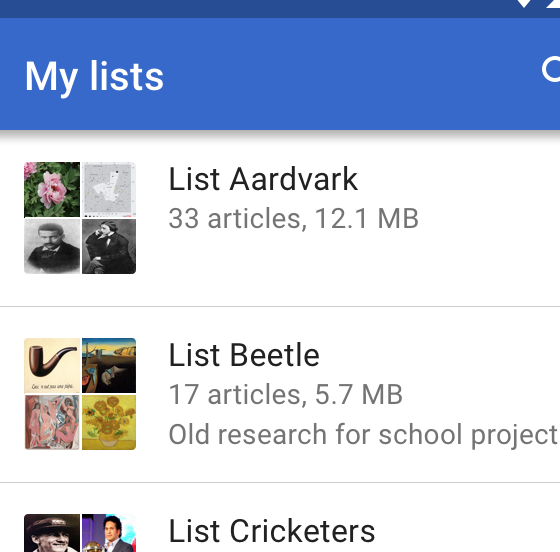
image.png (552×560 px, 99 KB)

  • number of articles in each list
  • file size on device for each list

Expected details on a reading list screen:
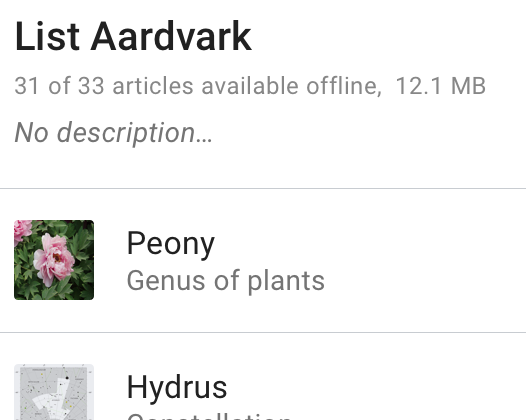
image.png (420×526 px, 53 KB)

  • number of articles that are offline
  • total number of articles in the list
  • file size on device for the list

Event Timeline

RHo renamed this task from Add metadata to Reading list notiing file size and number of articles that are available offline to Add metadata to Reading list noting file size and number of articles that are available offline.Apr 5 2017, 3:25 PM

Change 353129 had a related patch set uploaded (by Niedzielski; owner: Sniedzielski):
[apps/android/wikipedia@master] Update: reading list UI with saved page disk stats

https://gerrit.wikimedia.org/r/353129

@RHo, just a couple notes on this implementation:

  • I've presented the logical size on disk of pages and all their resources in mebibytes. Mebibytes _appears_ to be the units used in Settings (not 100% sure) and MiB appears to be the best abbreviation. It's easy for us to change the units if you don't like them. I've also stored total bytes transferred in case you want to present that at some point.
  • Online-only pages and saved pages yet to be downloaded are both presented as "0.00 MiB". I can add logic to show something like "-.-- MiB" for 100% online-only lists if you prefer, but this seemed slightly ambiguous.

Change 353129 merged by jenkins-bot:
[apps/android/wikipedia@master] Update: reading list UI with saved page disk stats

https://gerrit.wikimedia.org/r/353129

Change 356956 had a related patch set uploaded (by Niedzielski; owner: Sniedzielski):
[apps/android/wikipedia@master] Fix: only tally page sizes of offline pages

https://gerrit.wikimedia.org/r/356956

Change 356957 had a related patch set uploaded (by Niedzielski; owner: Sniedzielski):
[apps/android/wikipedia@master] Fix: update reading list UI on change

https://gerrit.wikimedia.org/r/356957

@Niedzielski do you know if it's still blocked (given the last merges)? :)

LGTM:

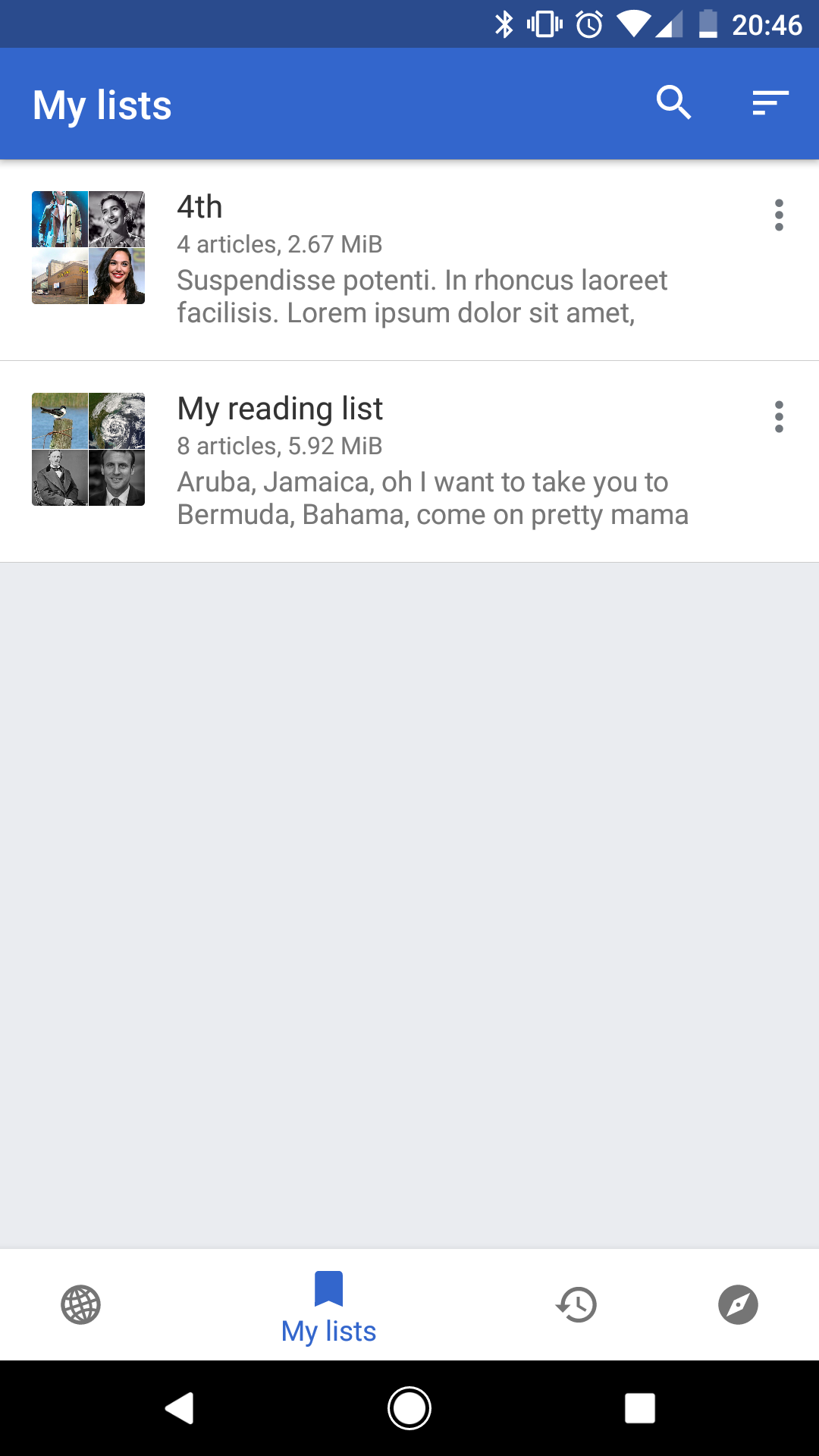
Screenshot_20170606-204618.png (1×1 px, 177 KB)
Initial 'My lists' screen
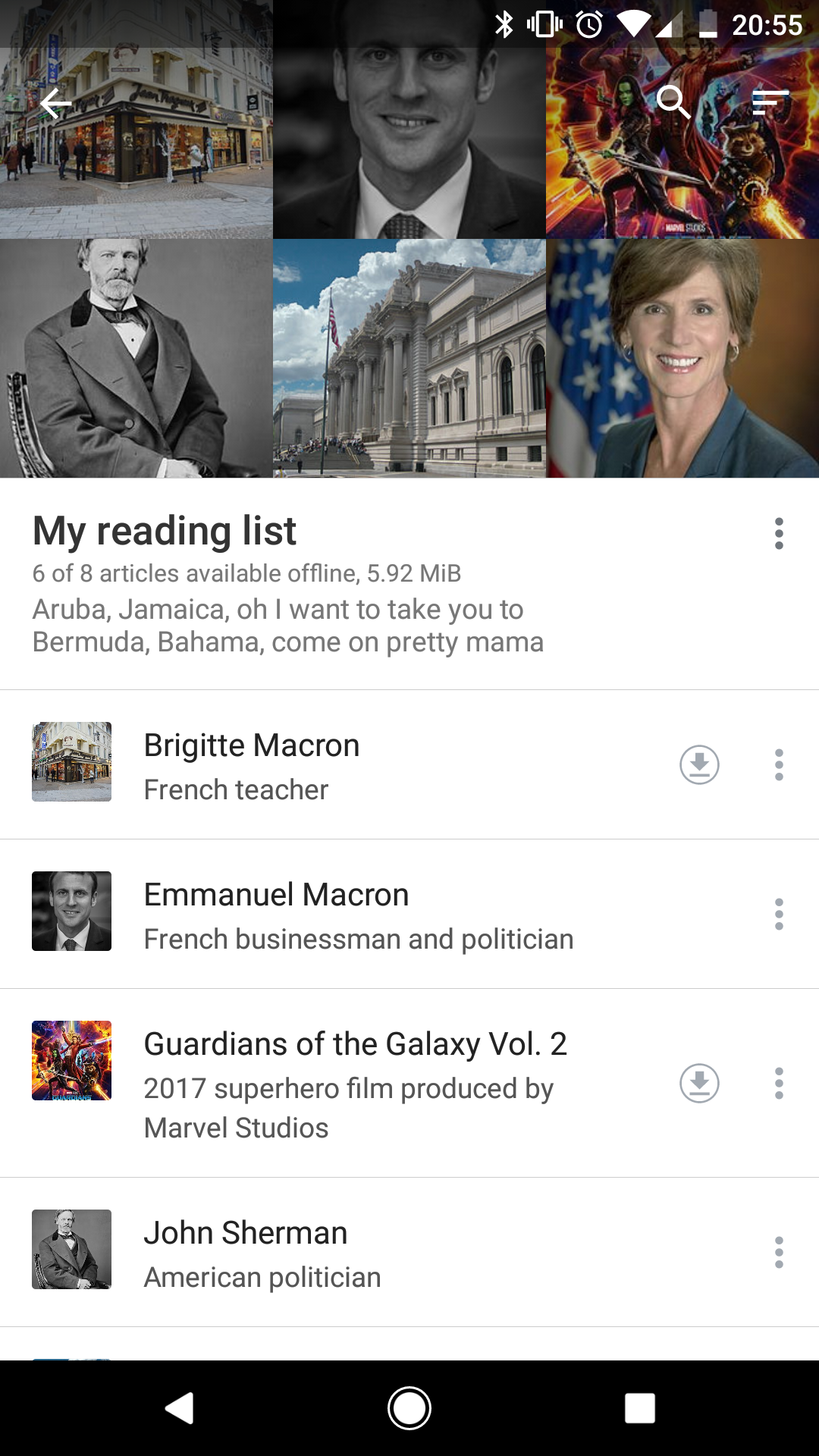
Screenshot_20170606-205509.png (1×1 px, 1 MB)
Reading list details
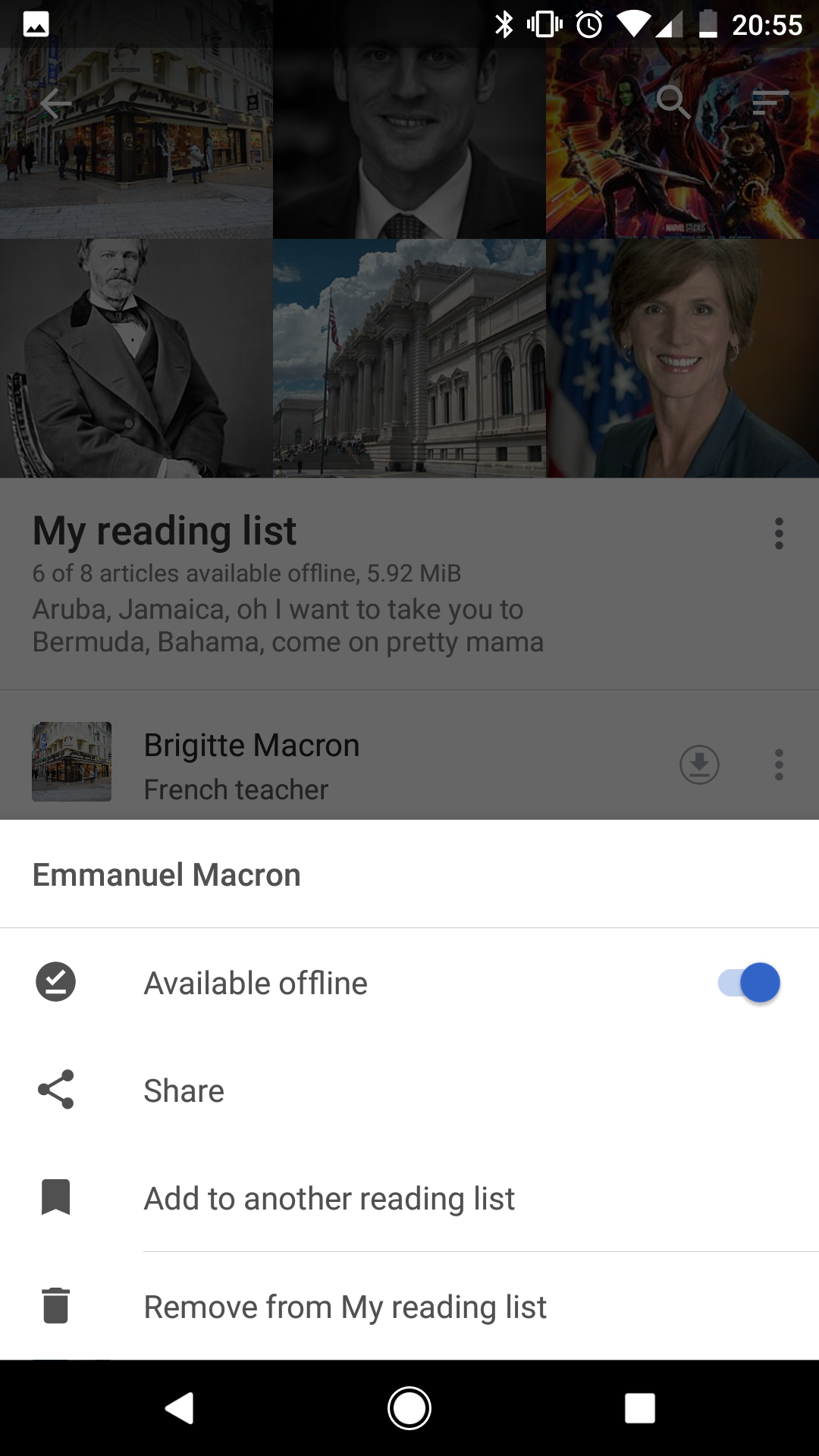
Screenshot_20170606-205515.png (1×1 px, 760 KB)
Toggle article to not available offline
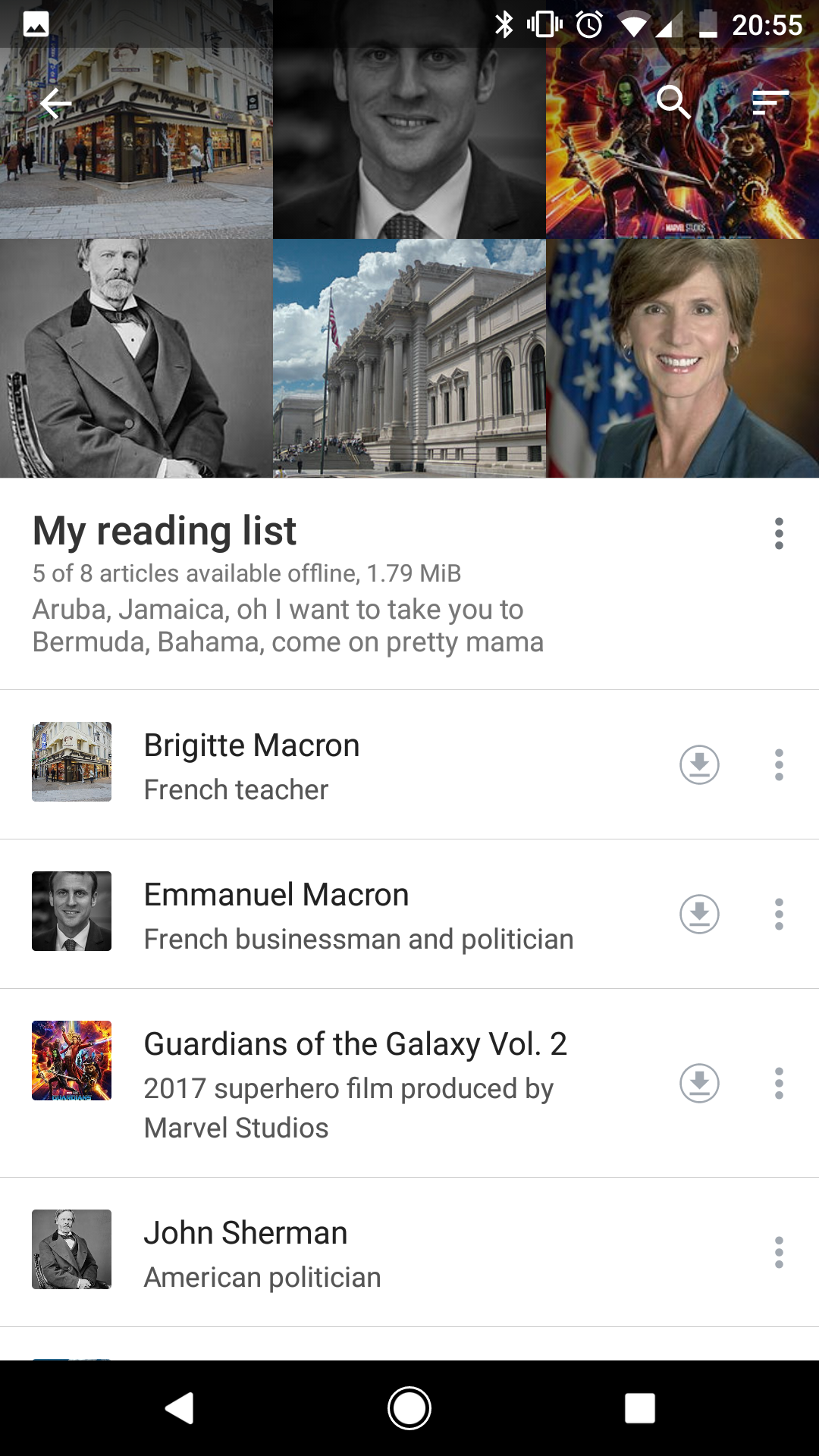
Screenshot_20170606-205522.png (1×1 px, 1 MB)
Updated reading list details
Screenshot_20170606-205727.png (1×1 px, 181 KB)
Updated details in 'My lists'

Tested on Pixel (Android 7.1.2, Wikipedia version 2.5.195-alpha-2017-06-05)

TESTING STEPS

  1. Open the app to the "My lists" section (make sure you have at least one list saved with a few articles in that list)
  2. Note the metadata showing for all the reading lists
  3. Open a reading list, then note the metadata shown on that list detail screen
  4. Tap on the overflow icon of an article on that list to bring up the bottom sheet with details for that saved article
  5. Change the "Available offline" toggle for that article
  6. Note if the metadata shown on the list detail screen has changed
  7. Return to the "My lists" screen

EXPECTED:

  • Step 2 - The "My lists" screen shows below each list name the total number of articles saved in that list, followed by the file size taken up by the list
  • Step 3 - The details shown on each reading list is (i) the number of articles that are offline, (ii) the total number of articles in the list, and (iii) file size taken up by the list.
  • Step 6 - Details part (i) and (iii) will be updated if a user toggles whether an article from the list is available offline or not.
  • Step 7 - The "My lists" screen will also reflect the most up to date file size for that list.