STEPS TO REPRODUCE
- Open app and switch to dark mode
- Go to a reading list
- Tap on the overflow icon for an article to bring up the overflow menu
EXPECTED:
The bottom sheet appearing should use background and text colors in the standard dark mode theme
ACTUAL:
Bottom sheet appears in light mode background color but with text appearing semi-transparent as if options are disabled
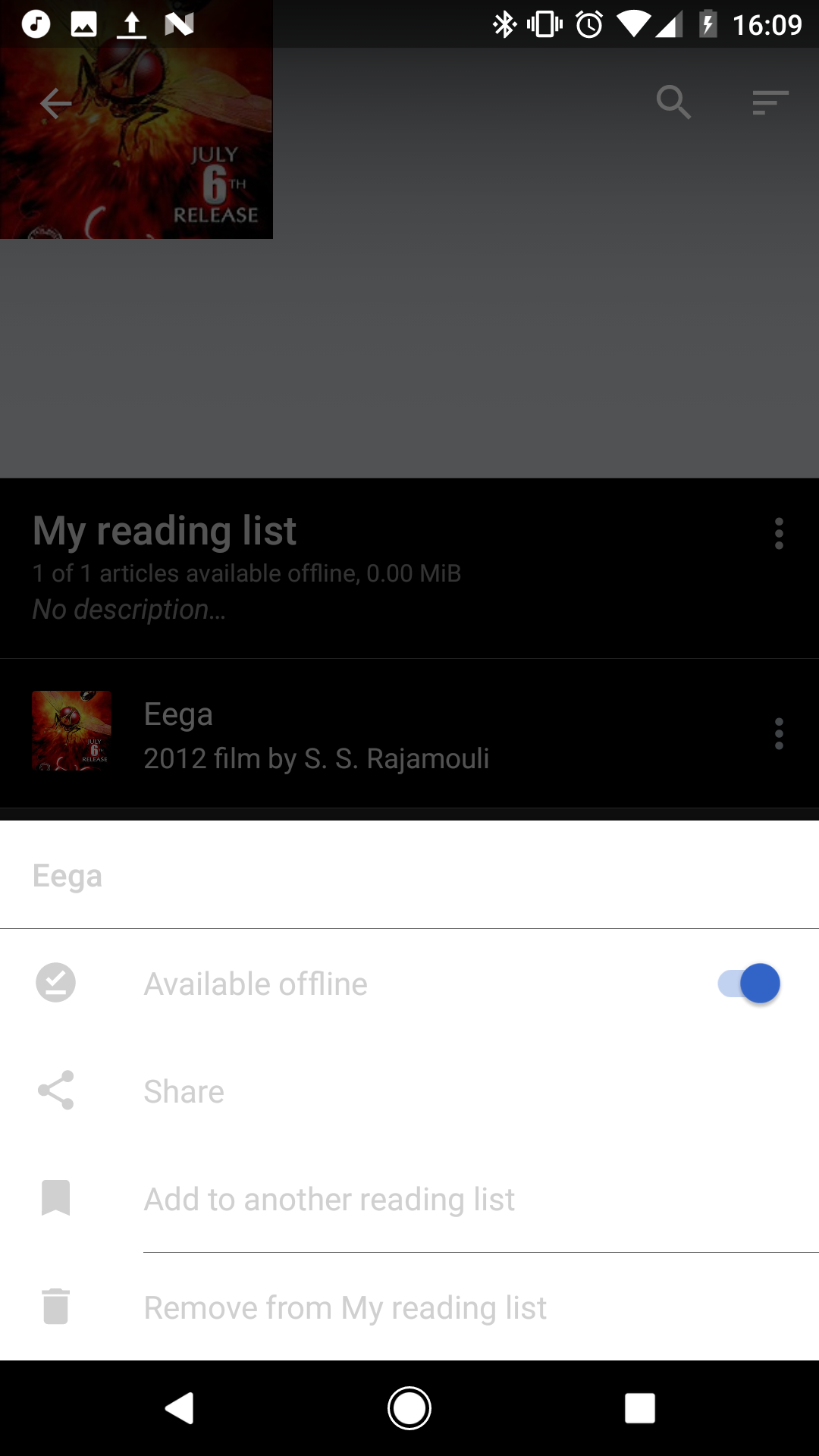
(note the menu options do in fact work when tapped, but the actions are barely discernible)
OCCURRING ON
Pixel - Android 7.1.2, Wikipedia version 26.8.198-alpha-2017-06-16