Page MenuHomePhabricator

Visual design updates to the Explore feed and "Add floating queue element" mode
Closed, ResolvedPublic4 Estimated Story Points

Assigned To
Authored By
RHo
Jun 20 2018, 4:51 PM
Referenced Files
F24583996: AQ Randomizer Black.png
Aug 5 2018, 8:10 PM
F24583995: AQ Randomizer Dark.png
Aug 5 2018, 8:10 PM
F24583993: AQ Randomizer Light.png
Aug 5 2018, 8:10 PM
F24577400: image.png
Aug 5 2018, 6:01 PM
F24580068: A. Random Lt main-MainActivity-08022018203711.png
Aug 5 2018, 6:01 PM
F24578890: A. Random Bl main-MainActivity-08022018204621.png
Aug 5 2018, 6:01 PM
F24578880: A. Random Dk main-MainActivity-08052018193704.png
Aug 5 2018, 6:01 PM
F24577363: image.png
Aug 5 2018, 6:01 PM

Description

The following visual design changes are part of the "Add floating queue" prototype:

  • Update the app bar background color on the nearby, reading list, history etc screens to all use Base90
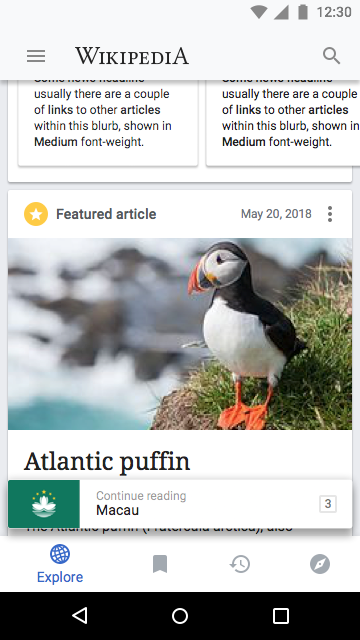
  • Scroll off the Explore tool bar off when scrolling down, It will come back into view in a compacted form when scrolling back up:
Explore feed (top)
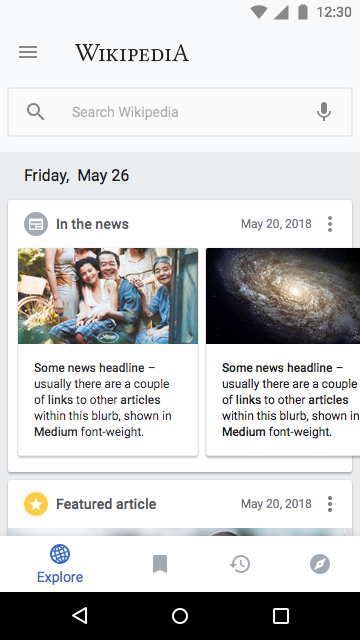
image.png (360×640 px, 133 KB)
Scrolled down
image.png (360×640 px, 133 KB)
Scrolled up (but not yet to top)
image.png (360×640 px, 179 KB)

Zeplin: https://app.zeplin.io/project/57a120b91998d8977642a238?seid=5b2152c94e9d9b4e0af911ff
Invision: https://wikimedia.invisionapp.com/public/prototype/sji0b12et0051rw018db4em1w/b2ee8aad
Event Timeline

RHo updated the task description. (Show Details)
Charlotte changed the point value for this task from 5 to 4.Jun 20 2018, 4:54 PM
Charlotte updated the task description. (Show Details)
Vvjjkkii renamed this task from Visual design updates to the Explore feed and "Add floating queue element" mode to jkaaaaaaaa.Jul 1 2018, 1:03 AM
Vvjjkkii raised the priority of this task from Medium to High.
Vvjjkkii removed the point value 4 for this task.
Vvjjkkii updated the task description. (Show Details)
Vvjjkkii removed a subscriber: Aklapper.
Sharvaniharan renamed this task from jkaaaaaaaa to Visual design updates to the Explore feed and "Add floating queue element" mode.Jul 1 2018, 5:45 AM
Sharvaniharan set the point value for this task to 4.
Sharvaniharan updated the task description. (Show Details)
Sharvaniharan added a subscriber: Aklapper.
CommunityTechBot lowered the priority of this task from High to Medium.Jul 5 2018, 7:03 PM

Change 444140 had a related patch set uploaded (by Cooltey; owner: Cooltey):
[apps/android/wikipedia@prototype_floating_queue] [WIP] Visual design updates for the prototype floating queue

https://gerrit.wikimedia.org/r/444140

Change 444330 had a related patch set uploaded (by Cooltey; owner: Cooltey):
[apps/android/wikipedia@master] [90%] Visual design updates for the prototype floating queue

https://gerrit.wikimedia.org/r/444330

Change 444330 abandoned by Cooltey:
[90%] Visual design updates for the prototype floating queue

https://gerrit.wikimedia.org/r/444330

Hi @cooltey – I caught a few items that have the wrong colors applied in Prototype A

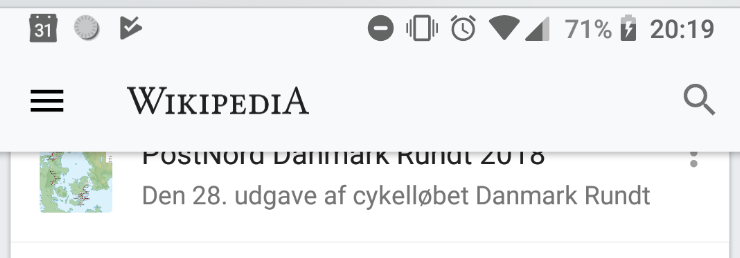
  1. Menu icon on feed

a. In Light mode it should be same color as Search icon (Black@54%)

Actual:
image.png (740×258 px, 47 KB)
Expected:
image.png (540×270 px, 23 KB)

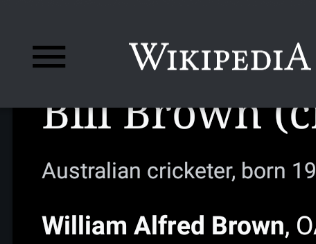
b. In dark and black mode - should be White as per Search icon
Actual:

image.png (316×244 px, 27 KB)

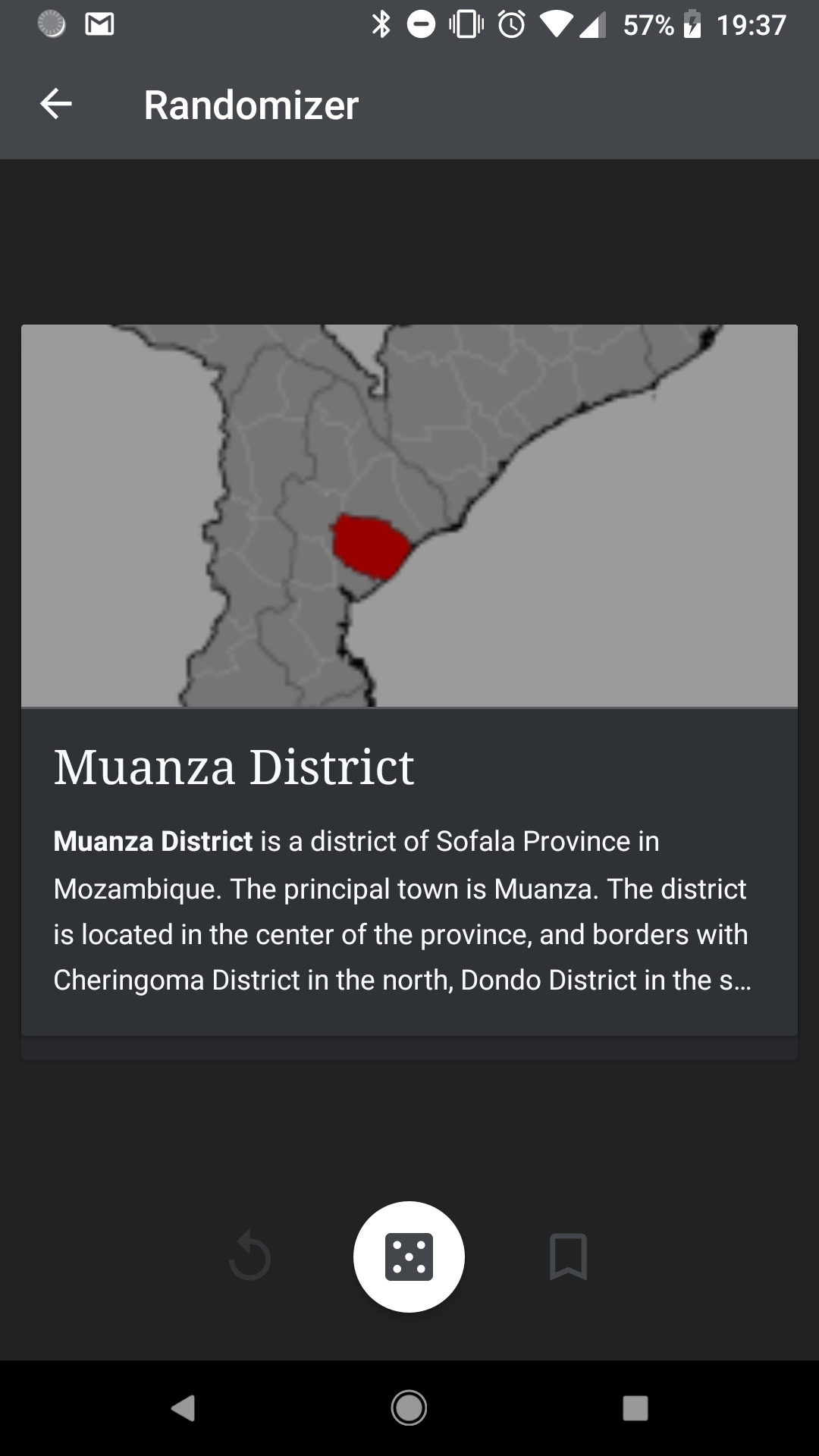
  1. Randomizer
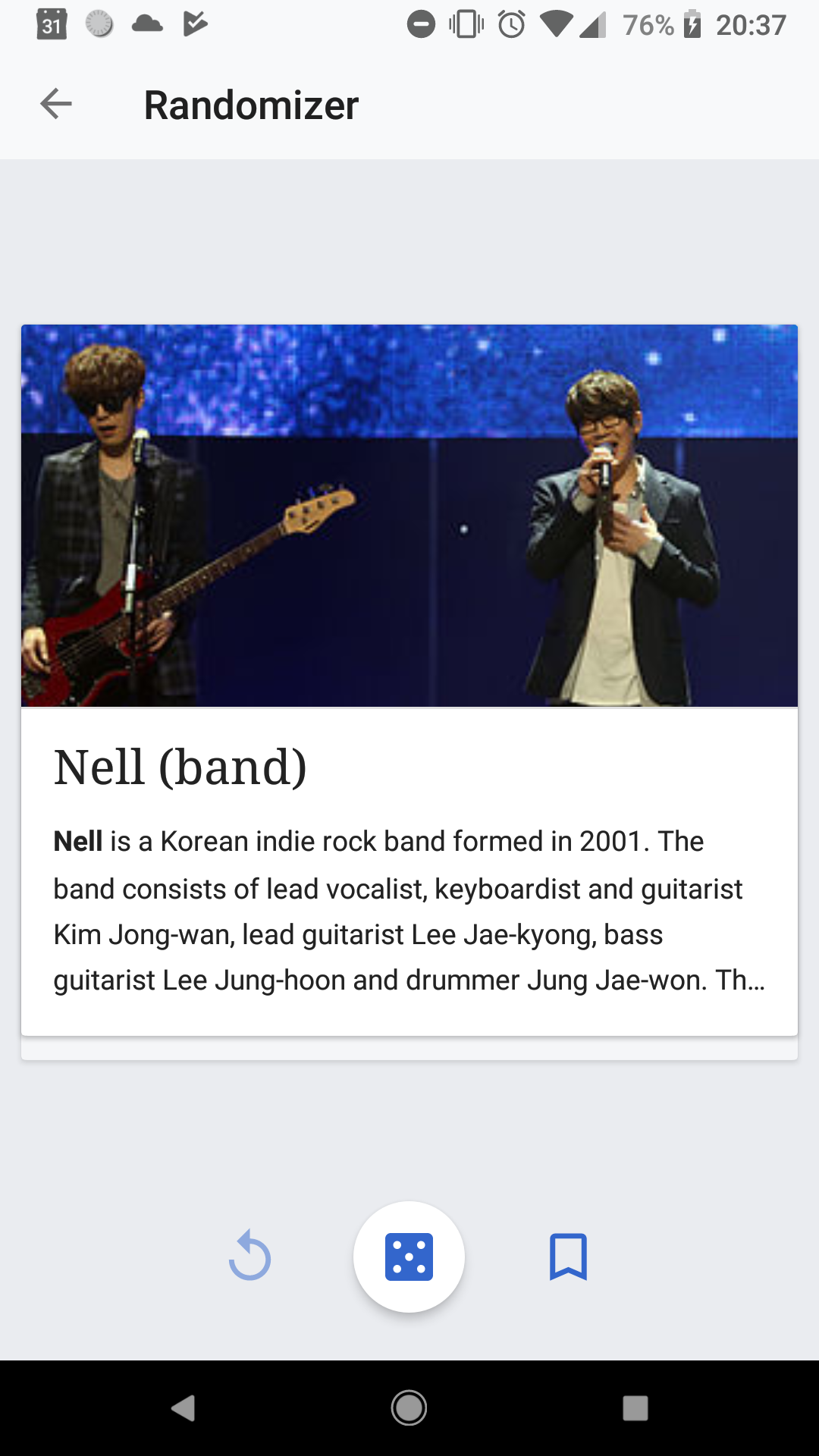
Actual Light
A. Random Lt main-MainActivity-08022018203711.png (1,080×1,920 px, 574 KB)
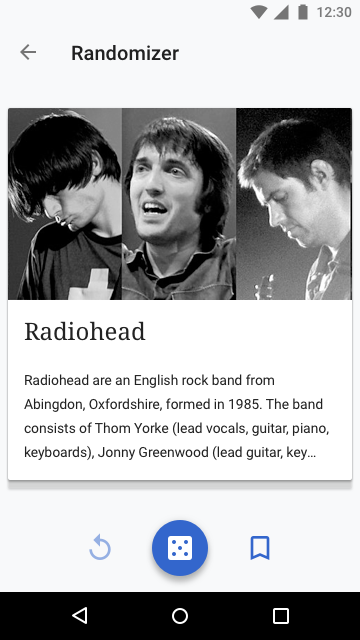
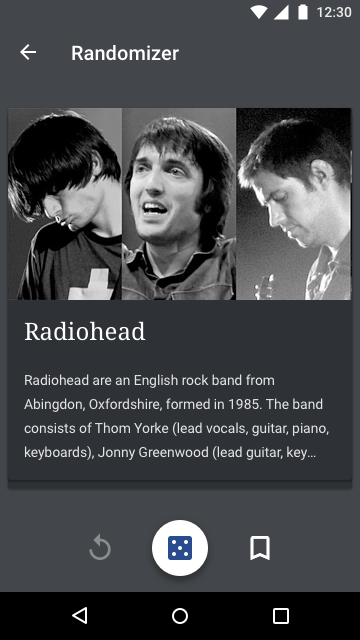
Expected Light
AQ Randomizer Light.png (360×640 px, 105 KB)
  • Background should be use the "Article stack chrome" color (Light: Base90)
  • Dice Floating action button should have colors inverted (Dice icon is white on the Accent50 color)
Actual Dark
A. Random Dk main-MainActivity-08052018193704.png (1,080×1,920 px, 179 KB)
Expected Dark
AQ Randomizer Dark.png (360×640 px, 109 KB)
  • Background should be use the "Article stack chrome" color (Dark: Base18)
  • Dice icon inside Floating action button should continue to use the App chrome color (Dark: Accent30)
  • Secondary Save and Replay icons should use the "Material theme Primary (text and icons)" color (Dark/Black: White@100%, or White@38% when disabled)
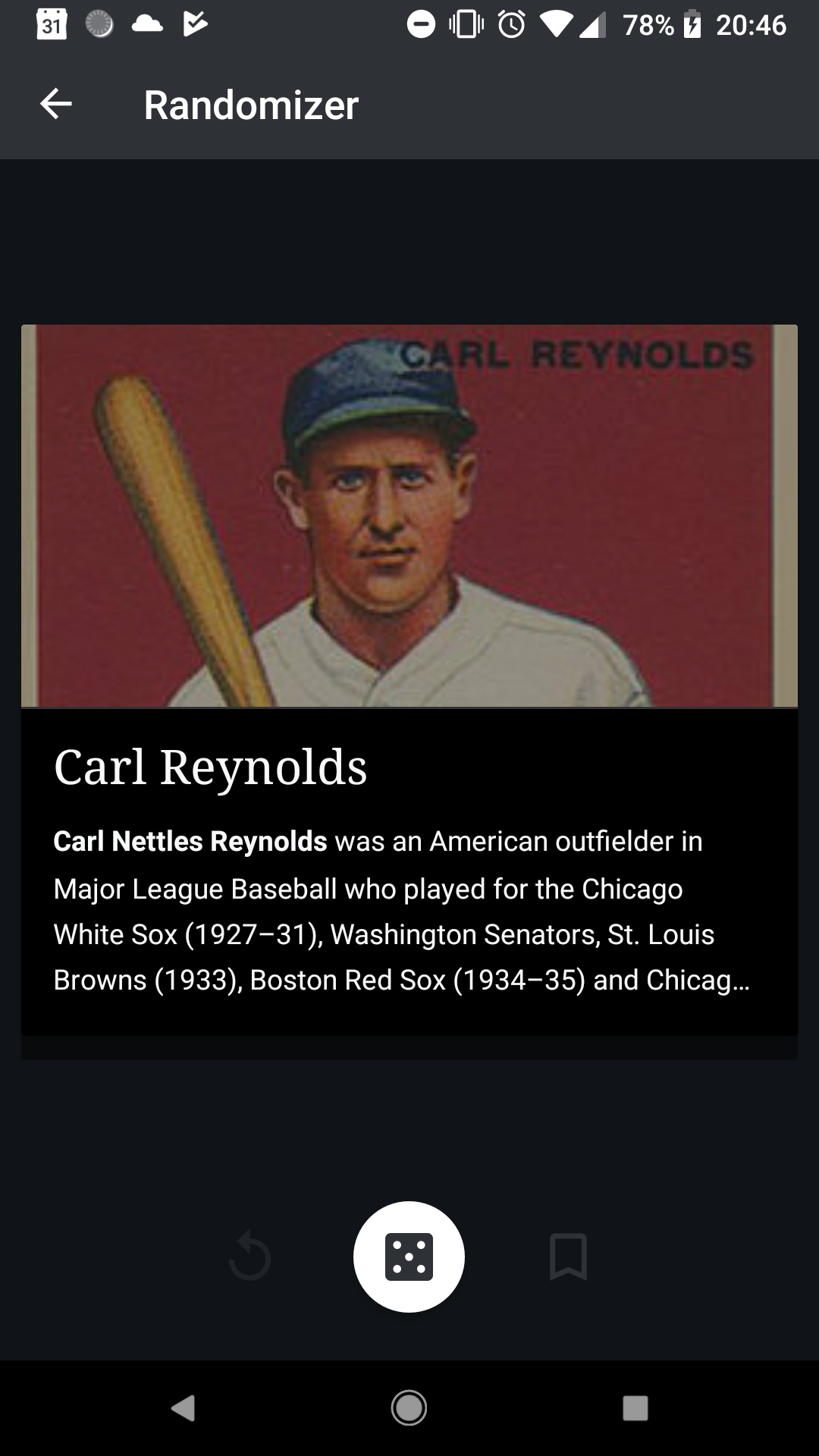
Actual Black
A. Random Bl main-MainActivity-08022018204621.png (1,080×1,920 px, 537 KB)
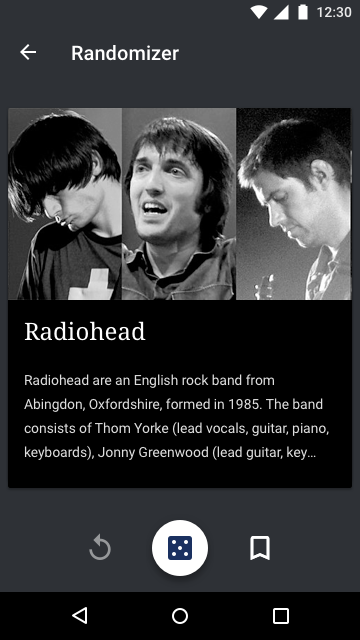
Expected Black
AQ Randomizer Black.png (360×640 px, 105 KB)
  • Background should be use the "Article stack chrome" color (Black: Base14)
  • Dice icon inside Floating action button should continue to use the App chrome color (Black: Accent16)
  • Save article to list and Replay icons should use the "Material theme Primary (text and icons)" color (Dark/Black: White@100%, or White@38% when disabled)

You can also view Expected by searching "AQ Randomizer" in the Zeplin board.

Change 450891 had a related patch set uploaded (by Cooltey; owner: Cooltey):
[apps/android/wikipedia@prototype_floating_queue] UI Tweak to prototype floating queue

https://gerrit.wikimedia.org/r/450891

Change 444140 abandoned by Cooltey:
Visual design updates for the prototype floating queue

Reason:
Move to master branch

https://gerrit.wikimedia.org/r/444140

Restricted Application changed the subtype of this task from "Deadline" to "Task". · View Herald TranscriptSep 13 2018, 10:50 PM

Change 450891 abandoned by Cooltey:
UI Tweak to prototype floating queue

Reason:
Move to master branch

https://gerrit.wikimedia.org/r/450891

cmadeo subscribed.

Reviewed the notes from @RHo's earlier comment and things are looking good. I am noticing a lot of the lead images in the Randomizer view looking very pixelated though.