Design
When the input method menu is disabled through the menu itself (not when done using “the green button”), a notification is shown to the user.
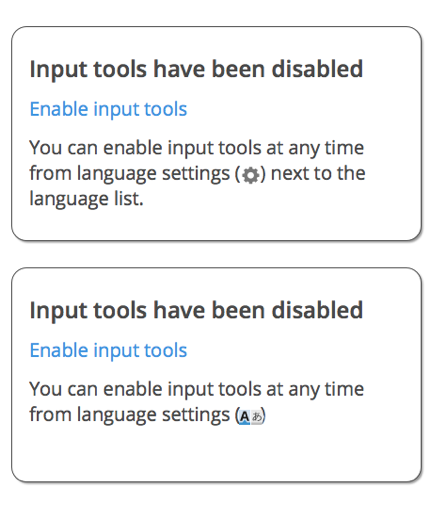
The notification will be a MW “bubble” notification (see screenshot). resources/mediawiki/mediawiki.notif*.js.
- The notification will be visible for visible for 10 seconds.
- Title of notification is “Input tools have been disabled”
- The notification will contain a link to undo (and reneable input methods). Clicking on it will enable the input method menu again and make the notification disappear.
- The notification will include a different text depending on the current ULS position:
4.1. When ULS is in personal position: “You can enable input tools at any time from language settings (<cog-icon>) next to the language list.”
4.2. When ULS is in interlanguage position: “You can enable input tools at any time from language settings(<lang-selection-icon>).
Version: master
Severity: normal
Attached: