As an editor I want to know if I'm in danger of unintentionally editing under an IP in order to not leak my IP.
Problem:
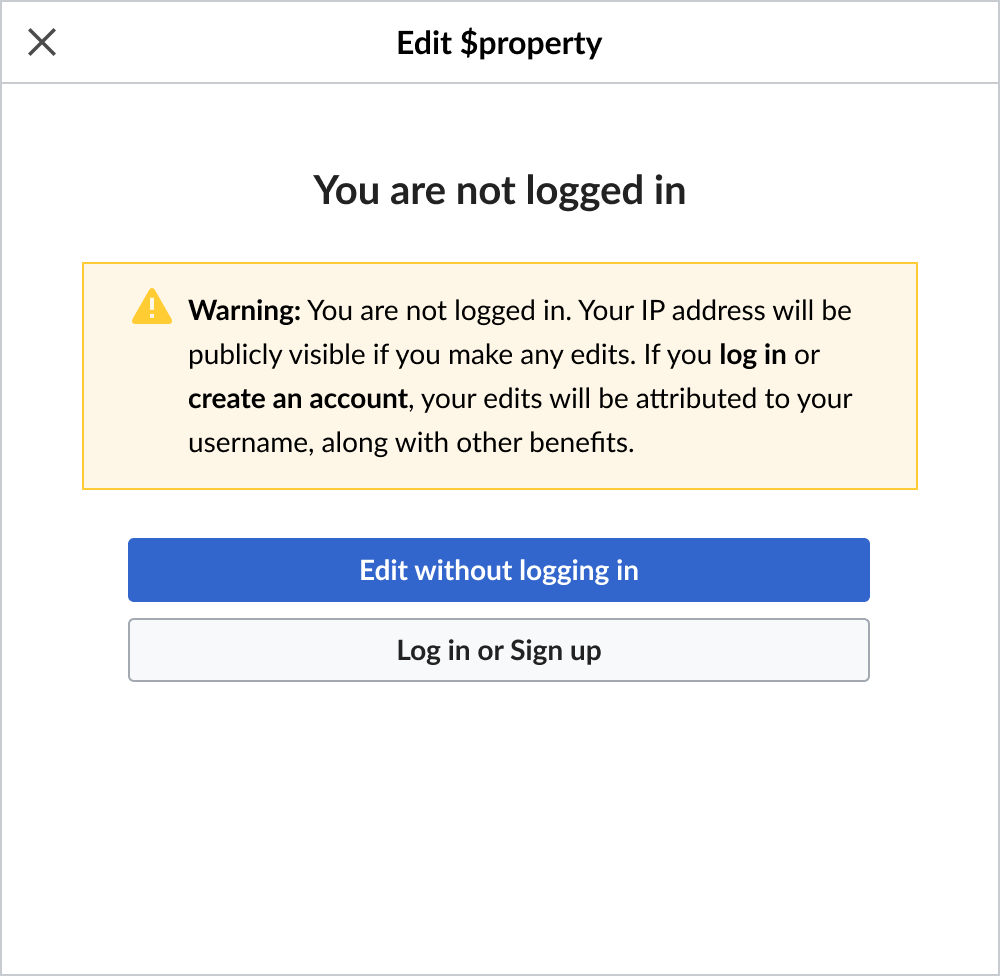
We need to warn people if they are editing under an IP.
Screenshots/mockups:
Desktop
Mobile
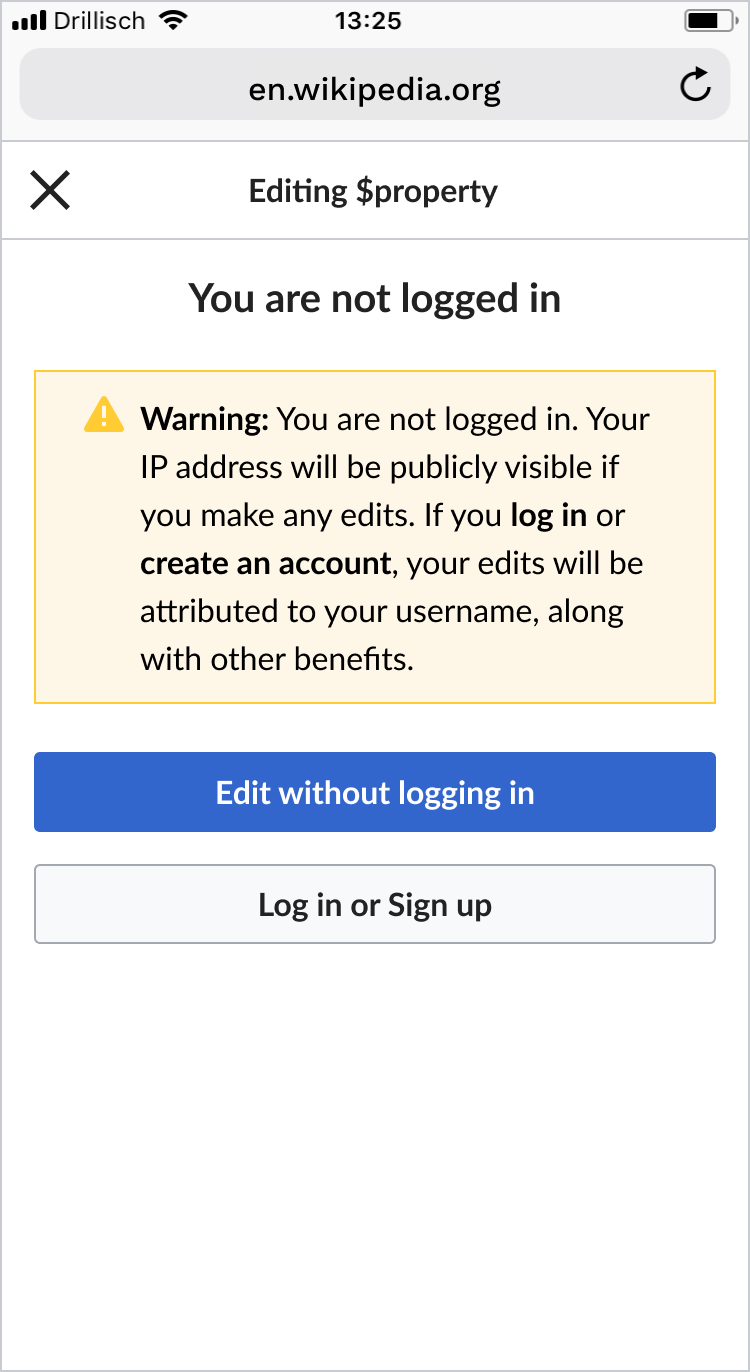
Please find design specs in this Figma artboard
BDD
GIVEN a user that is not logged in
WHEN opening the Bridge
THEN a warning screen is shown to inform them and give the option to log in instead of the usual Bridge content
GIVEN an anonymous edit warning
WHEN clicking log-in
THEN the editor is redirected to the login page
AND redirected back to the article they were editing
GIVEN an anonymous edit warning
WHEN clicking continue without logging in
THEN the editor proceeds to the usual Bridge content
Acceptance criteria:
- Bridge detects if an editor opens it while not being logged in
- Bridge shows warning to non-logged in editors
- Editor is redirected back to the article they were working on after logging in
- If editor decides they don't want to login, Bridge proceeds with a normal editing workflow
Notes:
logging in
*the option "Edit without logging in" is presented as a primary action. This was decided in order to follow the current (and potentially familiar to users) order of the buttons presented by the Visual editor.
- log in screen opens in the same tab
- after logging in, user is redirected to article
- they need to re-click the edit button
- X closes the Bridge completely
- Desktop to mobile button transition behaviour - Button width is always 100%. 24px horizontal margins are applied to the buttons div on desktop (above 499px break point) and removed on mobile (from 499px on). Vertical spacing between buttons increased from 8 to 16 px on mobile.