Design
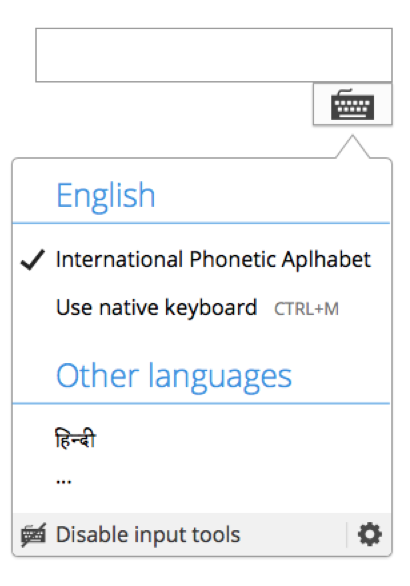
- Replace the “more settings” option with a “Disable input tools” option. This option should make the input method menu disappear (in the same way that the “green button” works at the input settings panel.
- Add a stroked keyboard icon before the “Disable input tools” label
- Keep the cog icon at the right with a subtle separator. The cog icon should provide access to the input settings panel (as it currently does).
Version: master
Severity: normal
See Also:
https://bugzilla.wikimedia.org/show_bug.cgi?id=46306
Attached: